

AI packaging design
Describe your dream packaging, hit Generate, and watch our text-to-image AI bring it to life in seconds.
Pick a mockup from our library to start your design
Choose a mockup
Trusted by leading companies







Unlock infinite packaging possibilities in an instant
Step into the new era of AI design! Pacdora deeply integrates 7,000+ 3D mockups with powerful AI, actively listening to your nuanced needs.
Just describe your vision, and our AI will instantly generate production-ready designs. Refine every detail through natural conversation—empowering your product to seize the market advantage!
Highlights of Pacdora's AI packaging design
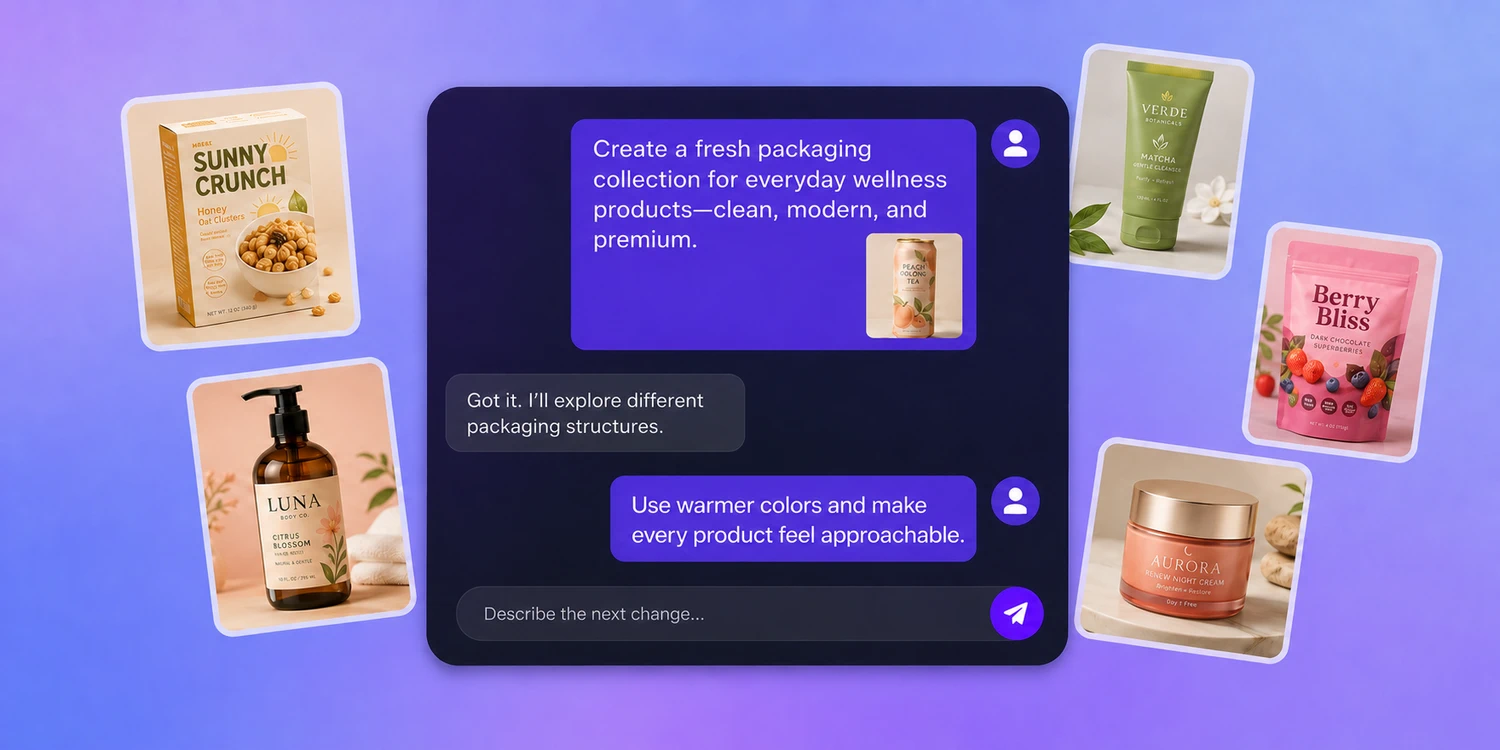
Start a chat, see your perfect design
No need to learn complex software or revise sketches repeatedly.
Simply engage in a continuous conversation with Pacdora AI, and we will deliver the perfect solution directly within the chat.
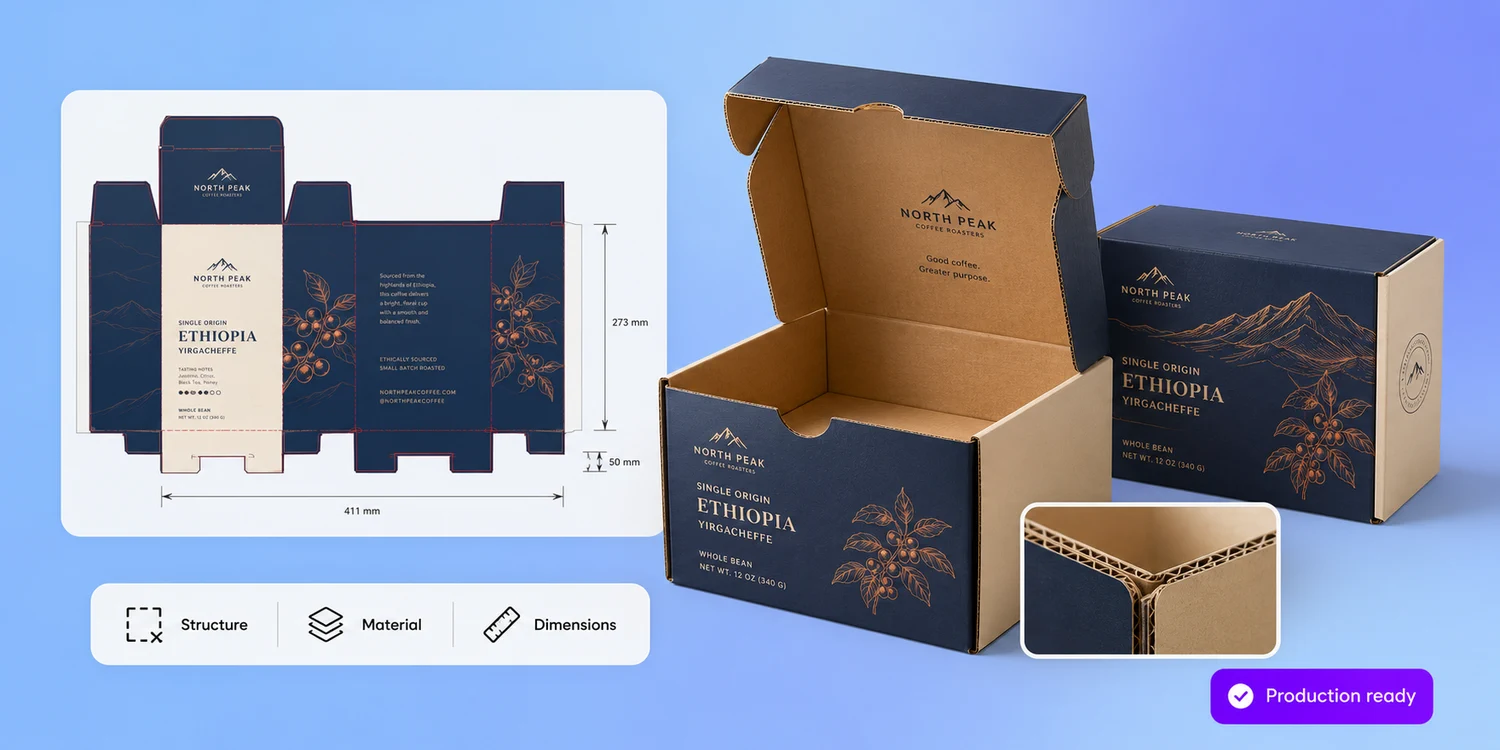
Pro-grade packaging, instantly ready
Pacdora AI enables you to generate photorealistic packaging mockups with aesthetically balanced layouts and color schemes in a single click, while accurately preserving functional details such as box opening/closing mechanics, corrugated texture, and precise dimensions.
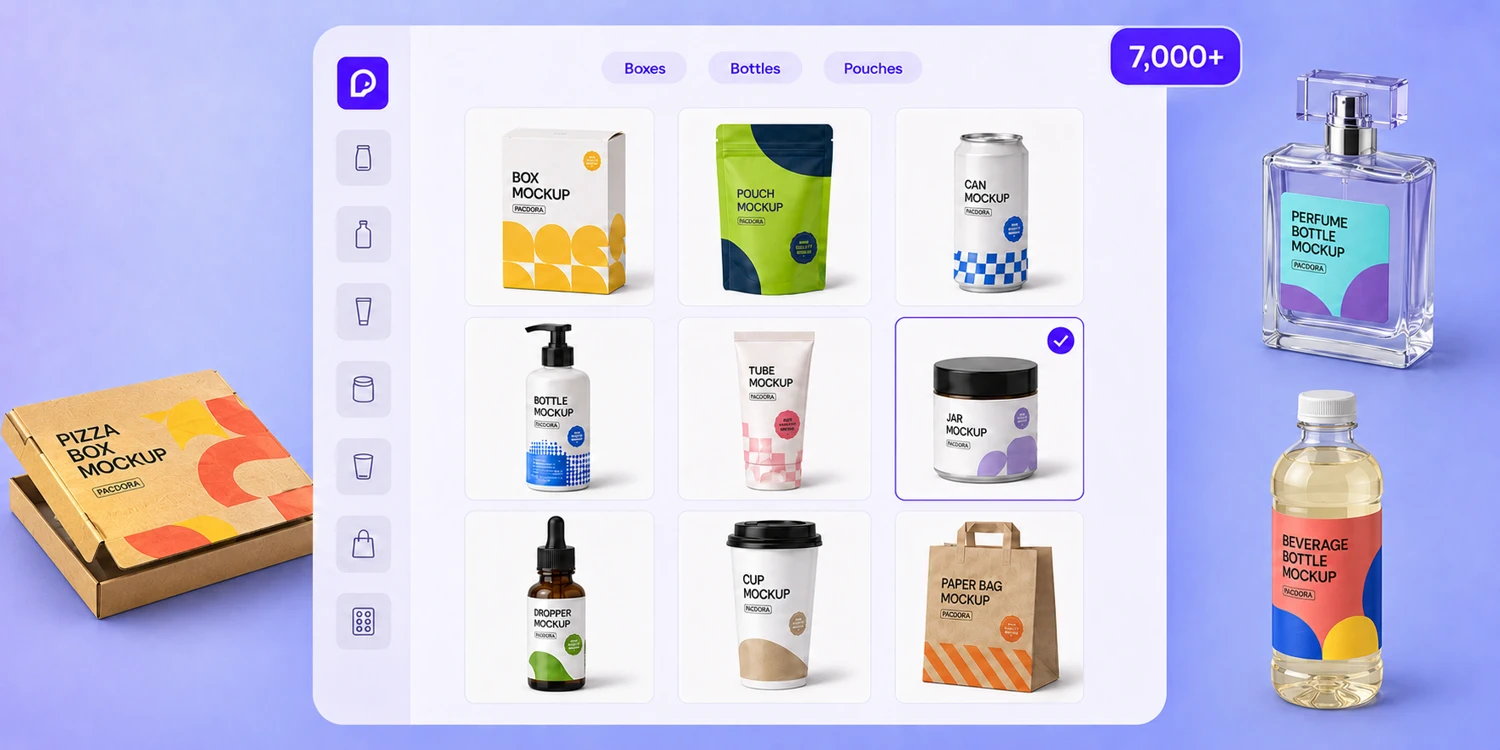
Mockup or image, describe and create
Pacdora has you covered with a library of 7,000+ hyper-realistic 3D mockups, covering everything from boxes, pouches, and bottles to cans—including both popular and niche styles.
Select a base mockup or upload your own product image, then describe your idea — our text-to-image AI drafts the artwork directly onto that real 3D shape.
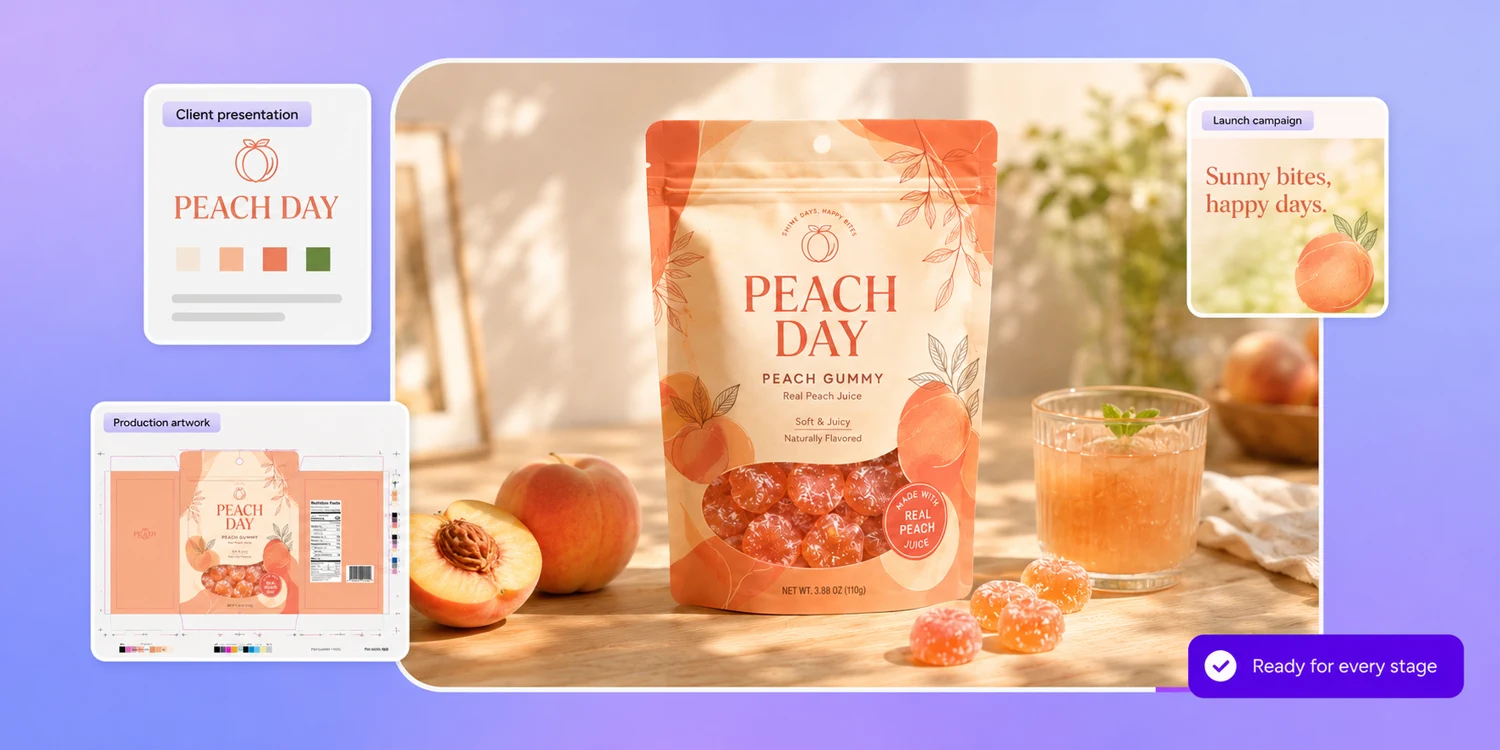
One AI packaging design, every launch asset
Your AI packaging design sits on a real cut-and-fold structure, so one approved file leaves Pacdora three ways: a 4K product shot for your Amazon listing, a 3D view for the buyer deck or crowdfunding page, and a print-ready dieline with bleed and fold lines your printer can quote from.
Nobody redraws it in between — what you signed off on is what reaches the press.
How to design packaging with Pacdora AI?
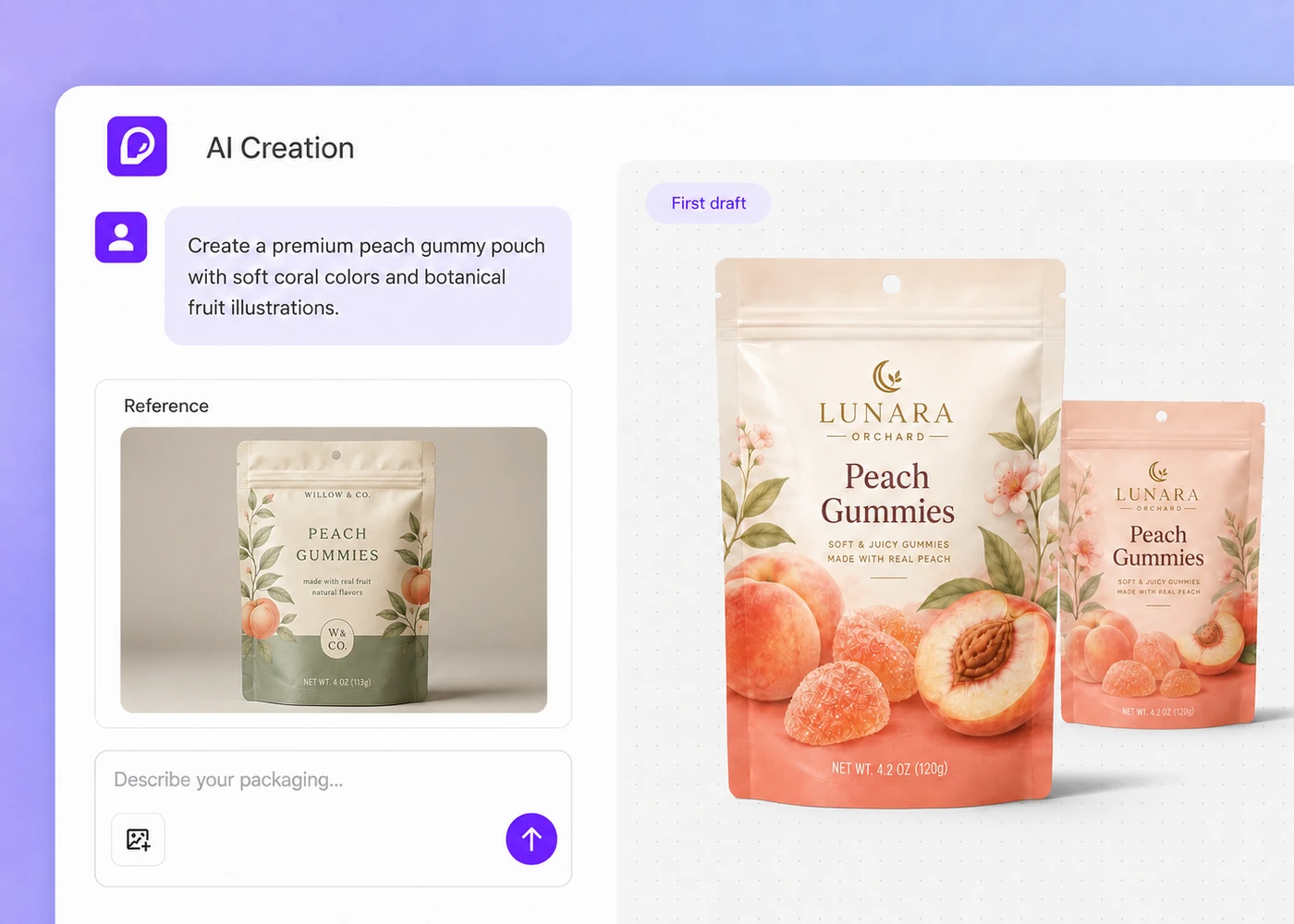
Step 1: Describe your packaging in the chat
Type your brand, colors, packaging type, and design style into the chat box, and Pacdora AI drafts a first packaging design from your words.
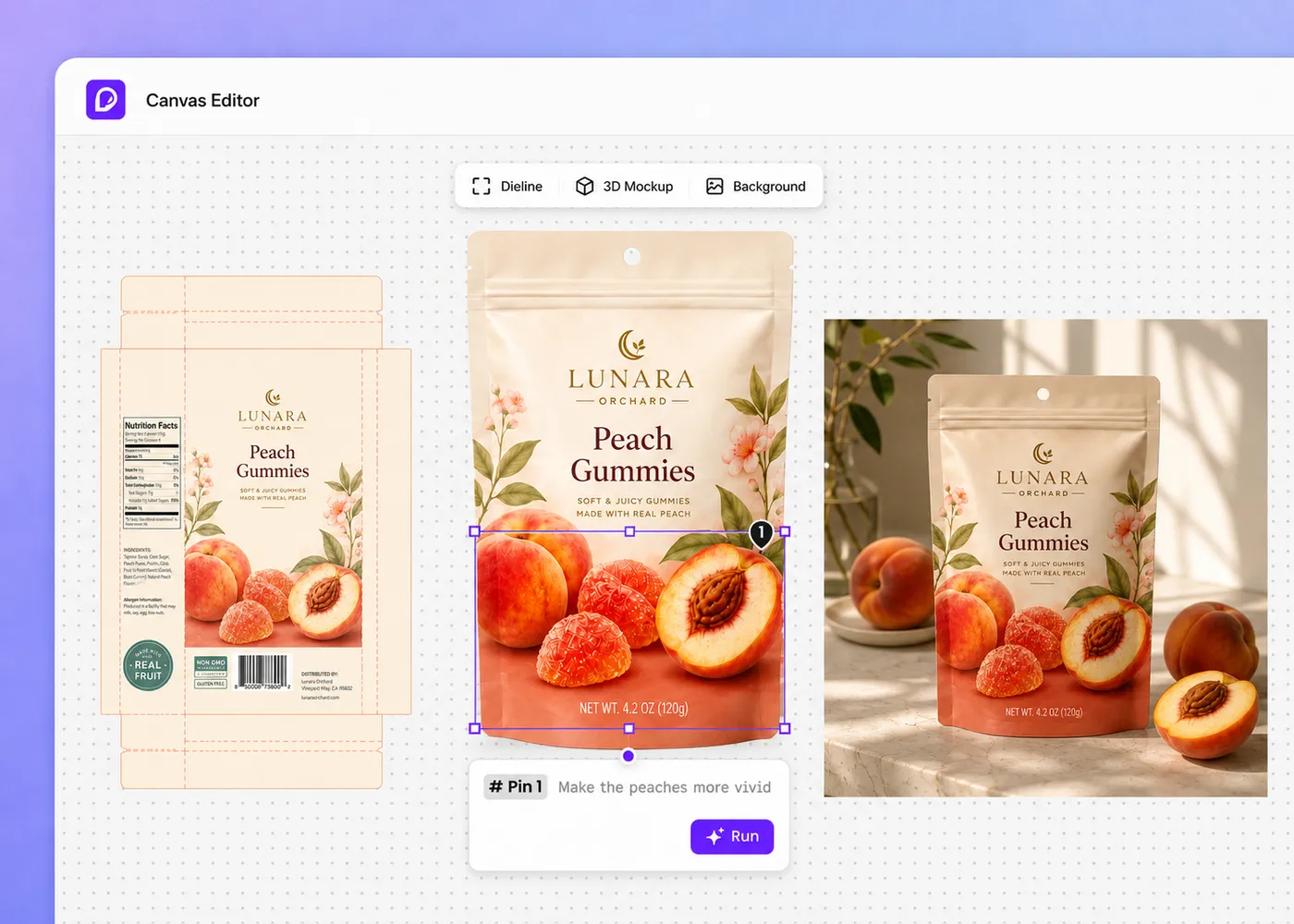
Step 2: Edit your design on the canvas
Build on the canvas — generate a dieline, a 3D mockup, or a fresh background. Adjust any part by hand, or ask AI to change one element for you.
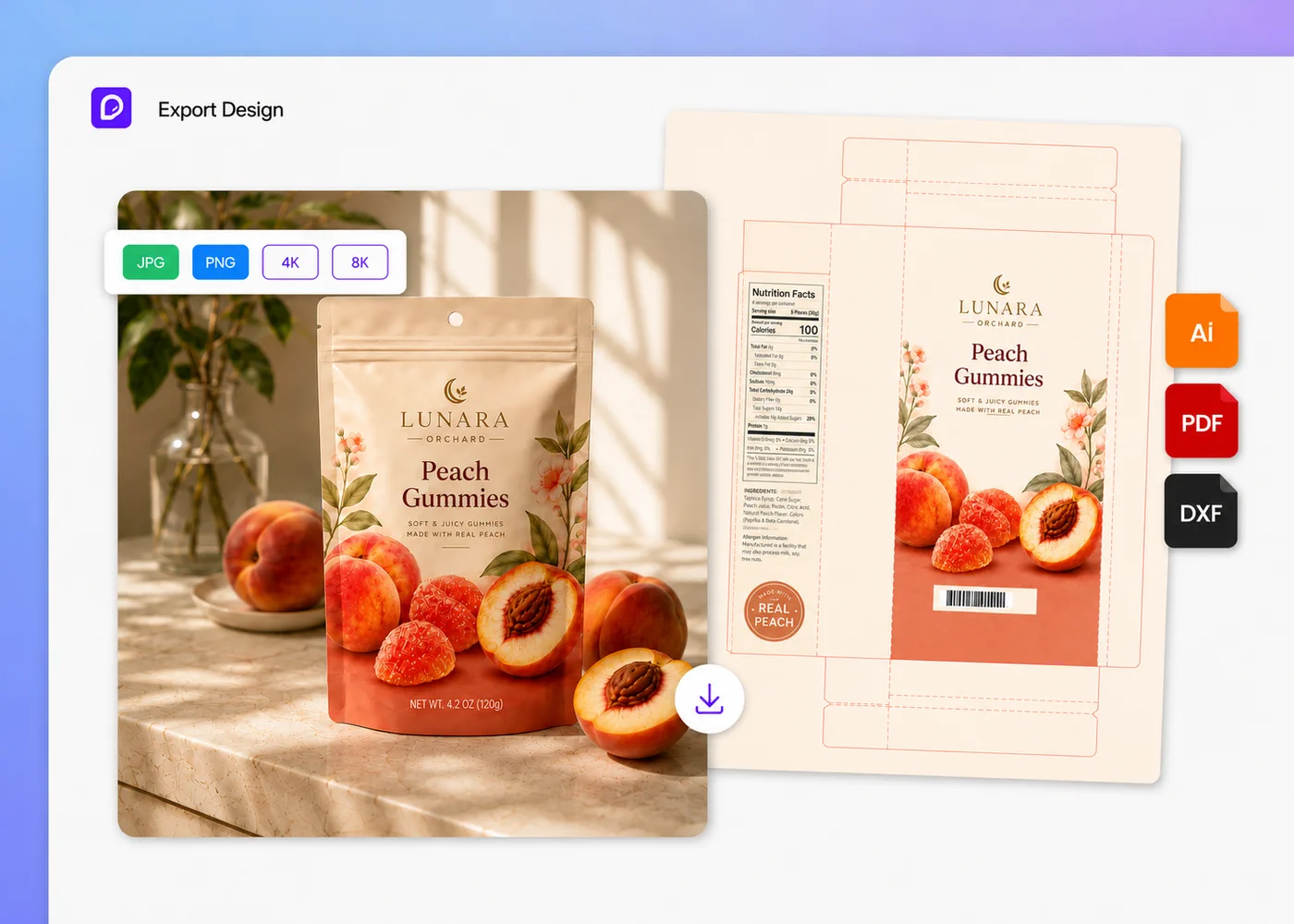
Step 3: Download your design and dieline
Download the finished product image in 4K or 8K, then export the dieline as a PDF or DXF file, ready to send to your printer.
Step 1: Describe your packaging in the chat
Type your brand, colors, packaging type, and design style into the chat box, and Pacdora AI drafts a first packaging design from your words.
Step 2: Edit your design on the canvas
Build on the canvas — generate a dieline, a 3D mockup, or a fresh background. Adjust any part by hand, or ask AI to change one element for you.
Step 3: Download your design and dieline
Download the finished product image in 4K or 8K, then export the dieline as a PDF or DXF file, ready to send to your printer.
FAQ
Frequently asked questions
Do I need design skills to use it?
Not at all. Just pick a 3D packaging mockup, describe your idea in a few words, and the AI will instantly create a realistic image that looks like a professional studio shot. It's a fast and fun way to explore new packaging concepts without needing design skills.
Why use AI for packaging design?
AI packaging design takes you from a written idea to a shelf-ready visual without booking a studio or waiting on rounds of revisions. Describe your box, pouch, or bottle in plain words, and Pacdora drafts the artwork on a real 3D structure — so you can preview the finish, tweak one element at a time, and export a print-ready dieline for your printer. It keeps your energy on the concept instead of on wrestling with design software or briefing an agency for weeks.
Is AI packaging design free?
Yes, you can experiment with AI-generated designs using starter AI credits for free. If you need more designs, you can subscribe to our membership service. For more details, check out our pricing page.
Can I adjust a single element in my packaging design?
Yes. On the canvas, every part of your AI packaging design stays editable. You can move, recolor, or resize the logo, text, and graphics by hand — or drop a pin on the exact element you want reworked and let Pacdora AI redraw just that spot, without regenerating the whole design. Refine one detail at a time, then export the finished artwork as a print-ready image and dieline.
Can I use my AI design creations for commercial purposes?
Yes, you can use the images generated by our AI for any purpose, including commercial projects, as long as you comply with our Terms of Service. However, please note that you may not have exclusive rights to your AI-generated images.
What kinds of packaging can I design with AI?
Plenty. Start by picking a ready-made 3D structure from Pacdora's library — folding cartons, mailer boxes, stand-up pouches, bottles, cans, tins, and more — then describe the artwork and Pacdora AI drafts your design right onto that real shape. Because the structure comes from a true cut-and-fold dieline, you can preview the finish in 3D, adjust one element at a time, and export a print-ready file for your printer. More packaging types are added regularly.
Explore more free tools
Discover more about Pacdora
4M+
designers trust Pacdora
Turn your ideas into packaging visuals with Pacdora AI
